No user accounts required for your recipients -
Start your 7-day free trial now!

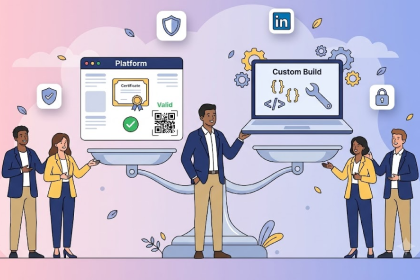
Most LMS platforms weren't built for certification. Here's how to decide whether built-in certificates are enough or if you need a dedicated solution.



If you run training programs, you've probably used your Learning Management System (LMS) to issue certificates at some point. It works, technically. A learner completes a course, a PDF gets generated, and everyone moves on. But as your programs grow, those basic LMS certificates start showing their limits.
The question isn't whether you should issue certificates. It's whether your current tool is the right one for the job.
Most learning management systems include a certificate feature, but it's rarely the main attraction. LMS platforms are built for learning delivery: course hosting, progress tracking, assessments. Certificates are typically an add-on, a checkbox feature with a basic template editor.
In practice, that comes with a number of limitations:
Dedicated certification platforms approach the problem from the opposite direction. Instead of treating certificates as an afterthought, they're built specifically for designing, issuing, and managing credentials at scale.
Here's what that typically looks like in practice:
Platforms like Virtualbadge.io are designed exactly for this use case.
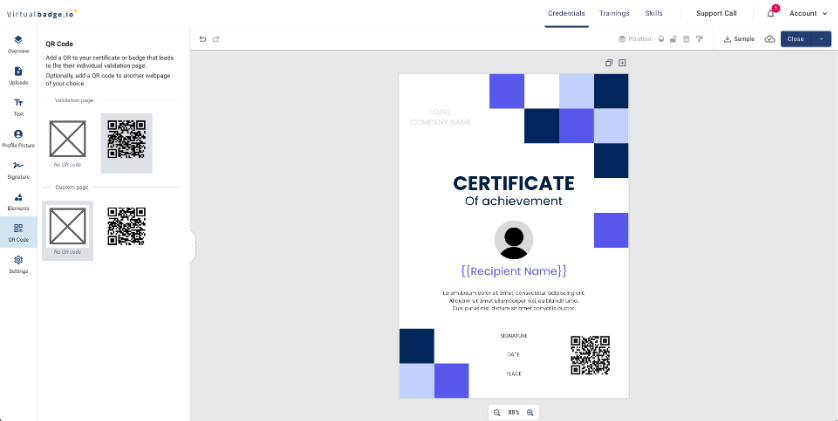
You design your certificate once, connect your recipient data, and the platform handles issuance, delivery, verification, and tracking automatically.
For more information, read: Why Your LMS Needs Digital Badge Integration in 2026
Not every program needs a dedicated certification tool. LMS certificates work well when the stakes are low and the volume is small. If you're issuing simple completion certificates for internal training with a handful of learners, your LMS probably handles that fine. The same applies if your certificates are purely motivational and don't need to be verified by anyone outside your organization.
The calculus changes once external credibility, scale, or compliance come into play:
For more information, read: How to Automate Certificate Issuance for Your Online Trainings
Here's the good news: You don't have to choose one or the other entirely. Many training providers keep their LMS for what it does best, delivering content and tracking learning progress, while using a dedicated certification platform for everything that happens after course completion.
This hybrid approach gives you the best of both worlds. Your LMS handles the learning journey, and a tool like Virtualbadge.io handles the credentialing. Most certification platforms integrate with popular LMS systems through APIs, Zapier, or webhooks, so the workflow stays seamless. A learner completes a course in your LMS, and their certificate is automatically issued and delivered without any manual steps.
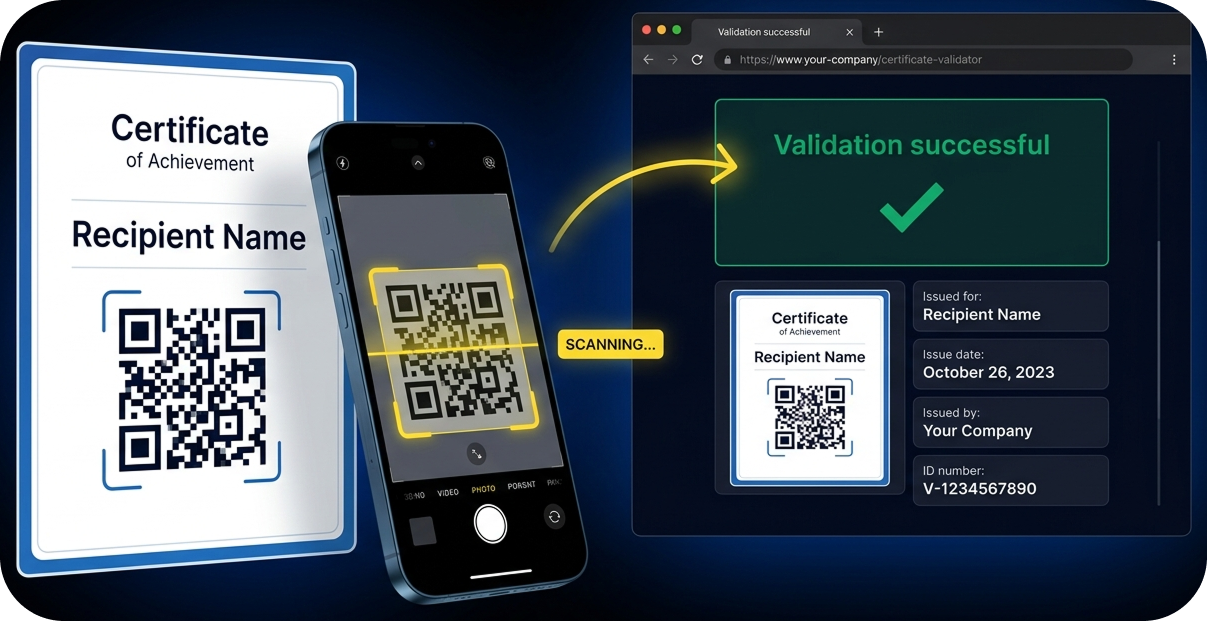
The decision comes down to what your certificates need to do. If they're internal acknowledgments, your LMS is probably fine. If they're professional credentials that represent your brand and need to be trusted by third parties, a dedicated platform is worth the investment.
Start by asking yourself: Can someone who receives my certificate verify it independently? Can I issue 500 certificates without spending an entire afternoon on it? Does this certificate look like it came from my organization, or from a software vendor?
If the answer to any of those questions is no, it's time to explore a purpose-built solution.
Book a free demo to see how Virtualbadge.io can streamline your certification workflow.
* You can find the organisation ID in the URL when you access your LinkedIn Company page as an admin.


May 13, 2026

5 min

Use Virtualbadge.io to design and send digital certificates that create trust - in less than 10 minutes.
%20(1).svg)