No user accounts required for your recipients -
Start your 7-day free trial now!

Step-by-step guide to automated certificate issuance through your learning management system.


When training programs grow, manual certificate issuance quickly becomes a bottleneck. Every spreadsheet, every email, and every individually created PDF costs valuable time and increases the risk of errors. As participant numbers rise, the effort becomes unsustainable because every single document has to be created, reviewed, and sent.
Automated processes solve this problem fundamentally. Instead of spending hours on hundreds of certificates, you only need minutes for the setup. The rest runs on its own. This not only saves time but also minimizes typos and forgotten issuances.
At the same time, participant satisfaction increases. They receive their certificate immediately after completing the training, can share it directly on LinkedIn, or add it to their digital wallet. This instant confirmation reinforces the sense of achievement and motivates further professional development. Automation transforms an administrative bottleneck into a scalable process that grows with your training program.
Before you begin with the technical implementation, clarify which training programs require certification. Distinguish between mandatory training such as compliance or workplace safety and voluntary professional development. Document which information should appear on the certificate: name, training title, date, validity period, and a unique certificate number. Also consider industry-specific documentation requirements, such as those in healthcare or finance.
For automation, your LMS must meet certain technical requirements:
Many widely used systems offer the appropriate interfaces. If your LMS does not offer native integration, middleware solutions like Zapier can establish the connection without requiring you to write any code.
At the same time, design your certificate templates. Virtualbadge.io offers an intuitive drag-and-drop editor that lets you create custom designs without any technical expertise. Use placeholders for dynamic fields like name, training title, and date so that a single template works for hundreds of certificates.
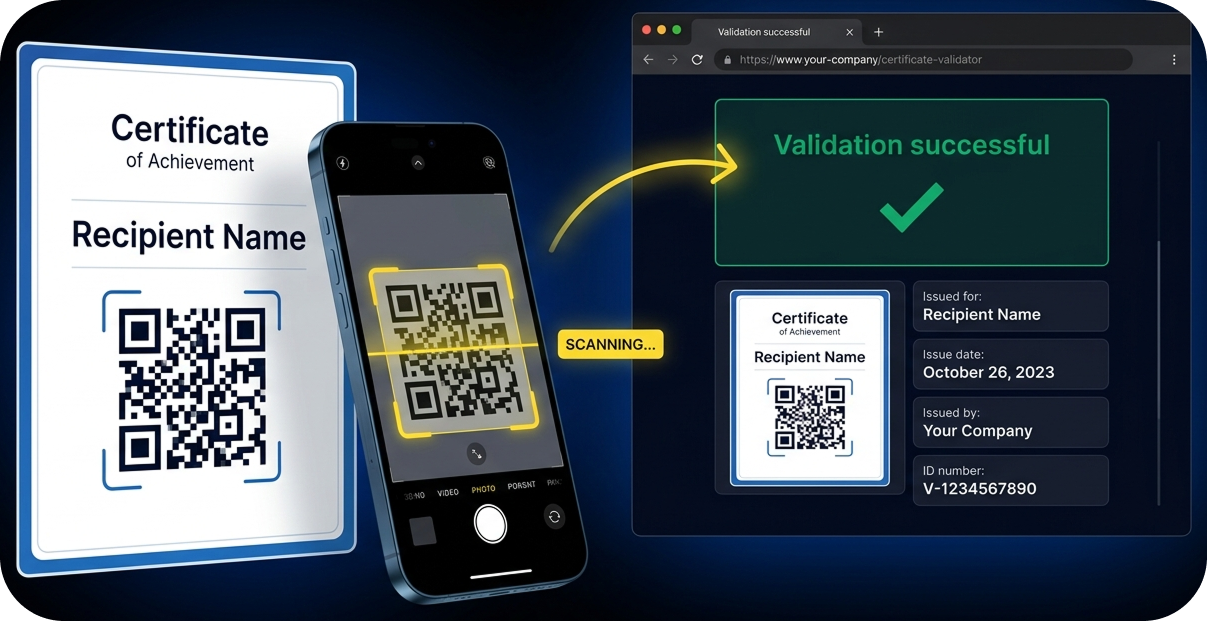
Make sure your layout is clean with sufficient white space so the certificate remains easy to read in digital format.
The connection between your LMS and your certificate platform is the core of the automation. With an API integration, your LMS automatically sends the relevant participant data to the certificate platform upon course completion.
Document the data flow carefully: Which fields are being transferred? How are special characters and umlauts handled? A clear field mapping between LMS and certificate template prevents errors during automatic creation.
Next, define the trigger conditions for automatic issuance. Typical triggers include:
Also clarify edge cases: What happens when someone retakes an exam? Is a new certificate issued or is the existing one updated? Clear rules prevent confusion and duplicate credentials. Test each rule individually before activating it. For more complex automation scenarios, the Virtualbadge.io team also offers individual project and development support.
Digital certificates are only as valuable as their verifiability. Integrate verification mechanisms that allow third parties to confirm the authenticity of a certificate. QR codes linking to a validation page are particularly well suited for this purpose.
Virtualbadge.io offers validation pages accessible around the clock where all certificate details can be viewed. This builds trust with employers and auditors while protecting against forgery.
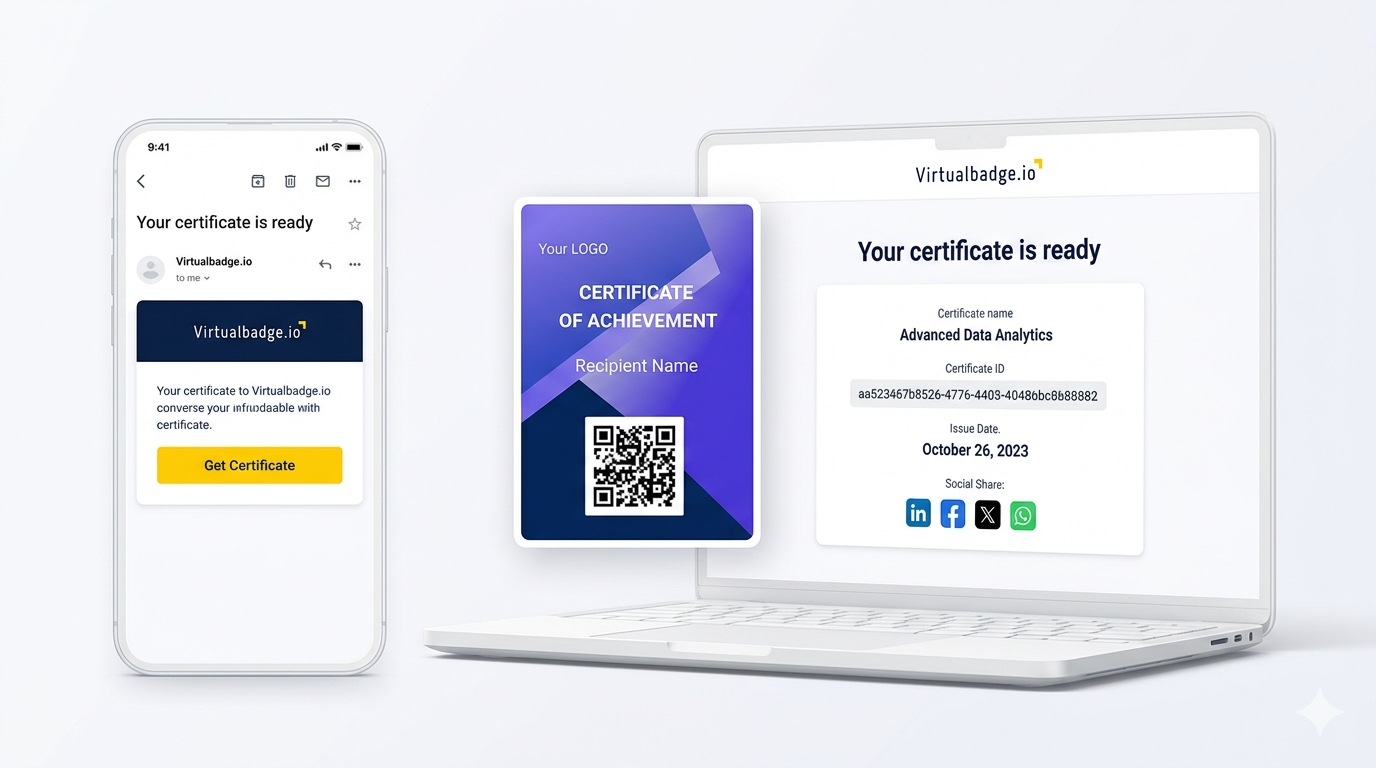
Ensure GDPR compliance: Only store the necessary personal data and inform certificate recipients transparently about data processing. A clear privacy policy is part of every professional certification process.
Before releasing the automated process for all training programs, conduct a test run with a small group. Check the following:
Collect feedback from the test participants and adjust the process as needed. After a successful test, start the rollout gradually, training category by training category. This way you maintain control and can react quickly if issues arise.
Virtualbadge.io was built specifically for organizations that want to scale their certification processes. The platform combines intuitive no-code tools with powerful automation features.
With the drag-and-drop editor, you create professional certificate templates in just minutes. Dynamic fields are automatically populated with participant data from your LMS. Integration works via API, Zapier, or direct connection to popular learning platforms. Every certificate includes a QR code for verification, and the platform is fully GDPR-compliant with white-label options for consistent branding.
Request a free demo today and experience how Virtualbadge.io automates your training certificates.
What are digital certificates for corporate training? Digital certificates are electronic credentials that confirm a person has successfully completed a training program. They can be verified online, shared on LinkedIn, and added to digital wallets.
How does automatic issuance through an LMS work? Your learning management system automatically sends the relevant data to a certificate platform like Virtualbadge.io upon course completion. The platform creates the certificate based on your template and delivers it to the participant, entirely without manual intervention.
How do I protect digital certificates from forgery? Integrate QR codes with validation links. Virtualbadge.io stores all certificate data encrypted and allows third parties to verify authenticity at any time.
Can I use my existing certificate designs? Yes. The Virtualbadge.io editor supports custom logos, colors, and fonts so your certificates remain on-brand and professional.
* You can find the organisation ID in the URL when you access your LinkedIn Company page as an admin.


Marketing

Jun 29, 2026

5 min

Use Virtualbadge.io to design and send digital certificates that create trust - in less than 10 minutes.
%20(1).svg)