How to Choose the Right Digital Credentialing Platform: A Buyer's Guide

The key criteria that help education providers, training companies, and HR teams find a credentialing solution that actually fits their needs.

May 21, 2026
4 min
|      by
Nils Wegner
digital badges education

Why Choosing the Right Platform Matters

Digital credentials are becoming a standard in education, corporate training, and professional development. As more organizations move away from paper certificates, the number of credentialing platforms on the market has grown significantly. That makes the selection process harder, not easier.

Choosing the wrong platform can lead to wasted budget, low adoption among recipients, and credentials that nobody trusts or shares. A structured evaluation helps you avoid these risks and find a solution that supports your goals from day one, whether you issue 50 certificates a month or 5,000.

This guide walks you through the features, questions, and warning signs that matter most when comparing digital credentialing platforms.

Must-Have Features to Look For

Not every platform offers the same depth of functionality. When evaluating your options, prioritize these core capabilities:
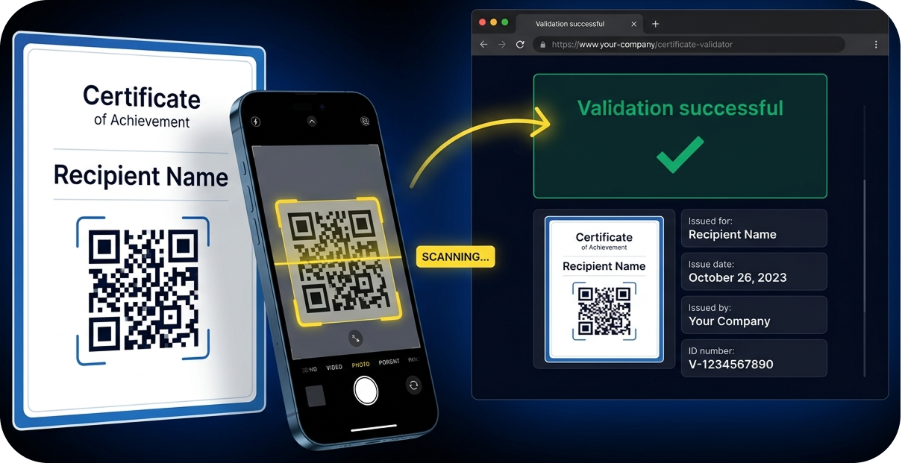
  • Verification and validation pages. Every credential should link to a unique, tamper-proof verification page that employers and third parties can check instantly.

  • White-label design. Your certificates and badges should reflect your brand, not the platform's. Look for full control over colors, logos, layouts, and messaging.
  • LinkedIn and social sharing. Recipients should be able to add credentials to their LinkedIn profile or share them on social media with one click, giving your brand organic reach.
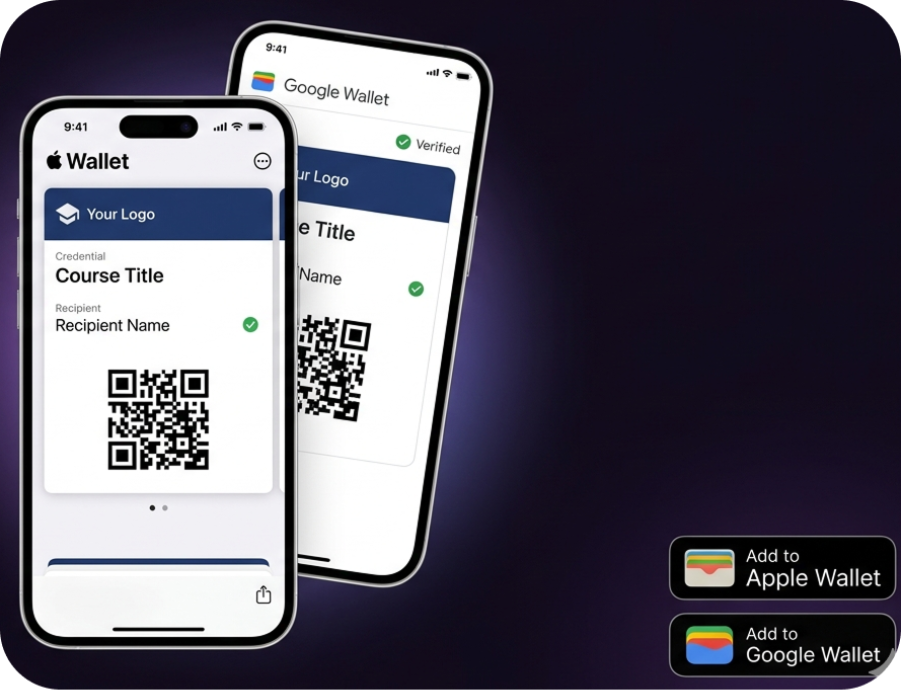
  • Apple Wallet and Google Wallet support. Mobile wallet integration makes credentials accessible anytime, without logging into a portal.

  • Open Badges compatibility. Support for the Open Badges standard ensures your credentials are interoperable and recognized across systems.
  • LMS and tool integrations. The platform should connect with your existing learning management system, CRM, or HR tools to automate issuance.
  • Bulk issuance via CSV. For organizations issuing credentials at scale, uploading a spreadsheet and triggering hundreds of certificates at once is essential.

For more information, read: The Complete Overview of Digital Certificates and Badges

Questions to Ask Before You Buy

Beyond the feature list, there are practical questions that reveal how well a platform will work for your specific use case:

  • How fast is onboarding? Can you design and issue your first credential within a day, or does setup take weeks?
  • What does recipient experience look like? Ask for a demo credential you can click through as if you were a recipient. A clunky or confusing experience will reduce sharing rates.
  • How is data handled? Especially for European organizations, GDPR compliance and data residency matter. Ask where data is stored and how long it is retained.
  • What support is included? Some platforms charge extra for onboarding assistance or limit support to email only. Clarify this before signing.
  • Can the platform scale with you? If you plan to grow your program from hundreds to thousands of credentials, make sure pricing and infrastructure support that trajectory.

Red Flags and Common Pitfalls

During your evaluation, watch out for these warning signs:

  • No verification mechanism. If credentials cannot be independently verified through a public link or QR code, they offer no more trust than a PDF attachment.
  • Rigid templates with no customization. A platform that forces you into generic layouts limits your ability to present a professional, branded experience.
  • Hidden per-credential fees. Some providers advertise low base prices but charge for every single credential issued. Ask for full pricing transparency upfront.
  • No integrations. A standalone tool that does not connect to your LMS or HR system creates manual work and slows down adoption.
  • Vendor lock-in. If you cannot export your credential data or if recipients lose access when you switch providers, that is a serious risk.

Taking the time to test two or three platforms side by side, ideally with a free trial or live demo, is the best way to spot these issues early.

Start Your Evaluation with a Free Demo

The right credentialing platform saves time, builds trust, and turns every certificate into a marketing touchpoint. Virtualbadge.io offers white-label digital badges and certificates with built-in verification, LinkedIn sharing, Apple and Google Wallet integration, Open Badges support, and seamless LMS connections.

Book a free demo to see how Virtualbadge.io fits your credentialing workflow, and start issuing credentials that recipients actually use and share.

* You can find the organisation ID in the URL when you access your LinkedIn Company page as an admin.

Send, Manage and Verify Certificates

Use Virtualbadge.io to design and send digital certificates that create trust - in less than 10 minutes.

Ready to start issuing digital certificates that build trust?
START NOW
7-DAY FREE TRIAL