No user accounts required for your recipients -
Start your 7-day free trial now!

A clear overview of why learners should use a Badge Backpack and how the Virtualbadge.io Backpack empowers recipients to manage and share their credentials.


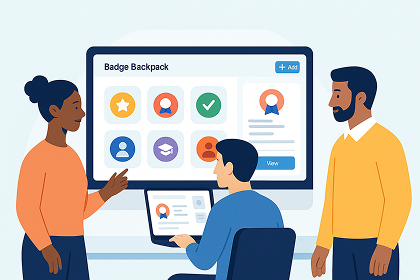
A Badge Backpack gives recipients one place to store and manage their digital badges. As more training providers, universities, and online platforms issue Open Badges, learners often receive credentials from different systems and email addresses. A Backpack prevents badges from being scattered or lost.
Key reasons why learners need a Badge Backpack:
A Badge Backpack is a digital credential wallet for Open Badges. It allows recipients to upload, store, and manage their badges in an organized way.
Main benefits for badge recipients:
The Virtualbadge.io Backpack supports any Open Badge 2.0 credential and provides learners with a reliable place to keep all their achievements in one secure and accessible environment.
A Badge Backpack provides a simple and intuitive experience for managing digital credentials. The Virtualbadge.io Backpack is designed so recipients can immediately understand their badge collection, inspect details, and upload new badges without technical barriers.
The main screens that shape the user experience include:
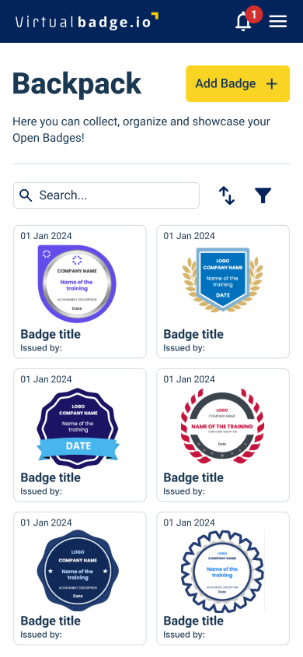
This view shows all stored badges as a clear gallery. Users can scroll through their achievements, use the search function, and quickly open any badge. The layout helps recipients maintain an immediate overview, even when they collect badges from multiple issuers.
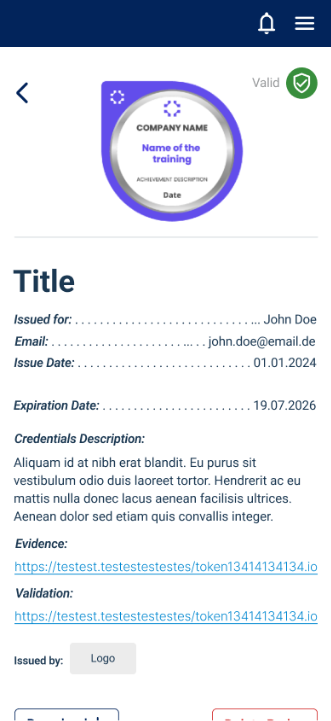
Selecting a badge opens a detailed page containing all relevant information, such as badge title, issue date, expiration date, issuer name, evidence links, validation information, and the recipient’s verified name. This view makes it easy to check the authenticity of a badge or provide proof during applications.
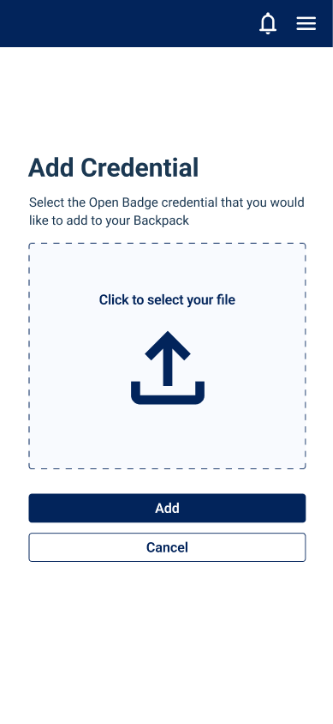
Here, recipients can upload new badges in the Open Badge format. The interface guides the user through the upload step with a clear button and a simple file selection. This makes it straightforward to add badges issued outside the Virtualbadge.io ecosystem.
Together, these screens provide a structured, user-friendly environment that makes storing and reviewing badges efficient and transparent.
The first version of the Virtualbadge.io Backpack supports the Open Badge 2.0 standard. This ensures full compatibility with badges issued by training providers, universities, and organizations that follow the official specification.
Key upload and compatibility details:
This ensures that learners can maintain a complete badge collection, even if they participate in courses using different systems or platforms.
A Badge Backpack is useful for anyone who receives digital credentials across different learning or training environments. Since badges are often issued by various organizations and delivered to different email accounts, recipients benefit from having one place to store everything.
The Badge Backpack is especially relevant for:
Virtualbadge customers can purchase a whitelabel Backpack to offer their learners a fully branded credential wallet. For university clients, the Virtualbadge branded B2C Backpack is also be available, allowing students to automatically receive all their Open Badges from your university on their branded access.
If you have further questions like:
Or would you like to see how the Virtualbadge.io Backpack works in practice? You can schedule a free demo with our team and walk through all functions.
* You can find the organisation ID in the URL when you access your LinkedIn Company page as an admin.


Marketing

Dec 8, 2025

3 min
A note on how we write: we use AI tools to help with research and drafting. Every article is then reviewed, edited and fact-checked by someone on the Virtualbadge.io team before it goes live. The final word is always human.

Use Virtualbadge.io to design and send digital certificates that create trust - in less than 10 minutes.
%20(1).svg)